Versions
The Versions feature in Stratus allows you to create snapshots of a return so you can test different scenarios without losing your original data. When you amend a filed return, Stratus also preserves the original filing as a locked snapshot and creates a new editable version for the amendment.
Why Use Versions
Versions are useful when evaluating “what if” scenarios, such as applying a tax credit or taking a different tax position, without committing those changes to the return.
Creating a Version
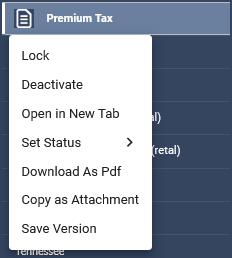
To create a version, right-click on a form and select Save Version.

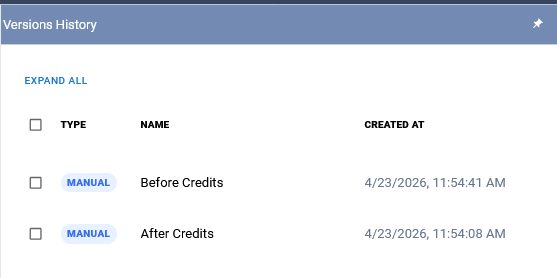
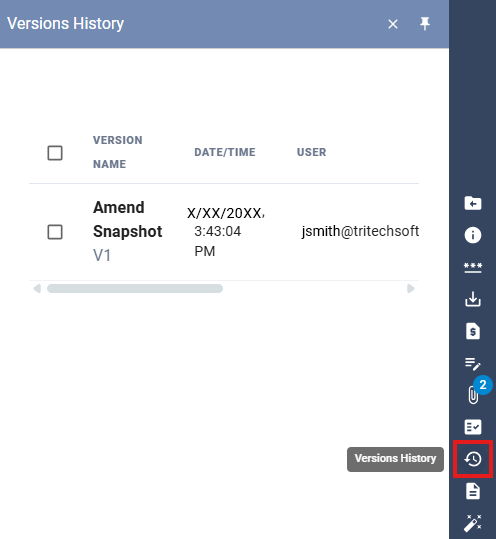
This will create a snapshot of the form. Saved versions can be accessed in the Version History panel on the right side of the screen, identified by the clock icon with a counterclockwise arrow.
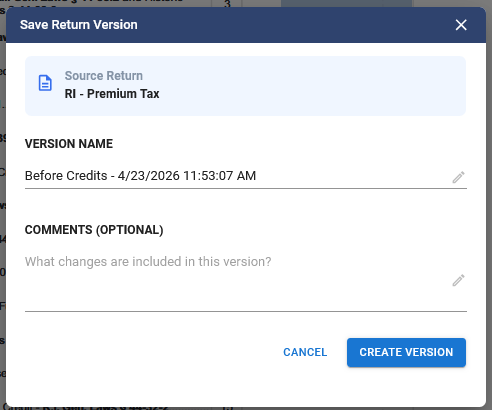
As a best practice, assign a name to the version that will make it easy to identify later.
Using Versions
For example, you may be considering applying credits but do not yet have the required documentation. Before making any changes, create a version of the return.
After saving the version, apply the credits and review how they impact the tax liability. This allows you to evaluate whether pursuing the credits is beneficial without affecting the original return.
Amending a Filed Return
Use the Amend feature when you need to change a return after it has been filed. Stratus captures a snapshot of the original filing, including returns, schedules, the retail worksheet, supporting calculations, and attachments. The original filed records are locked, and fresh editable records are created for the amendment. A return can be amended more than once; each amendment preserves the filing that existed before it and opens a new editable version.
Important: Amend is for changing a return after filing. It is separate from Mark as E-Filed.
To amend a filed return:
- Right-click the return in the tree and select Amend.
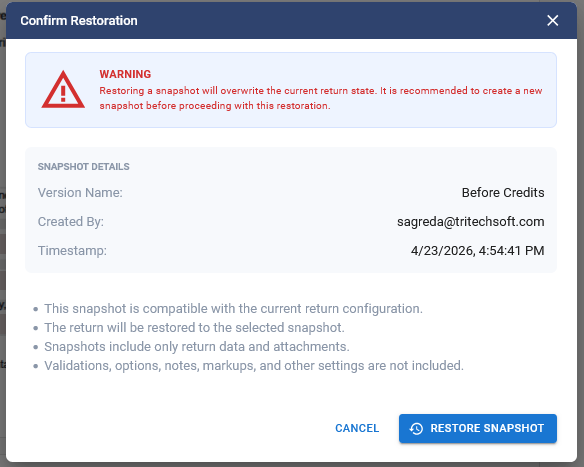
- Confirm the amendment when prompted. Before allowing changes, Stratus saves a snapshot of the original return and related records.
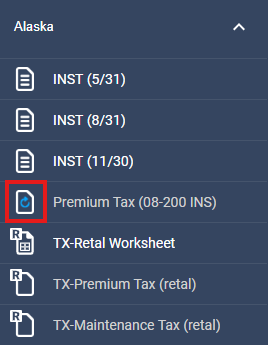
- Verify that the return displays an Amended status badge in the active tree.
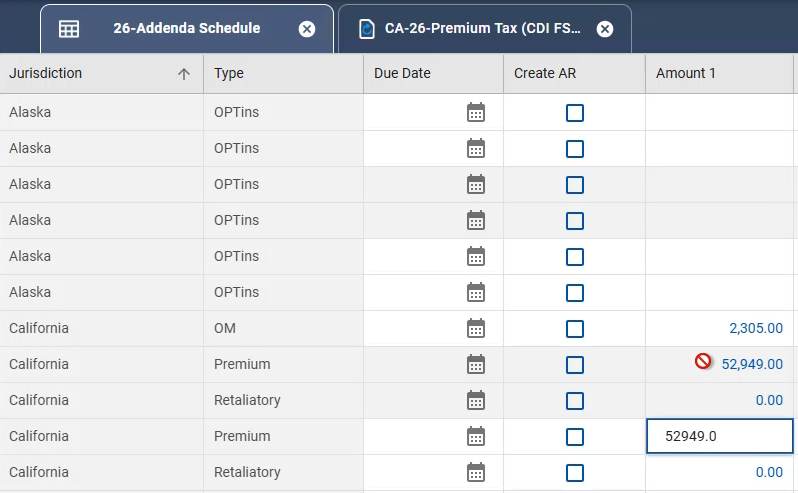
- Payment Request and Addenda records: The original records are shown in gray and are locked. The new editable records are shown in white.
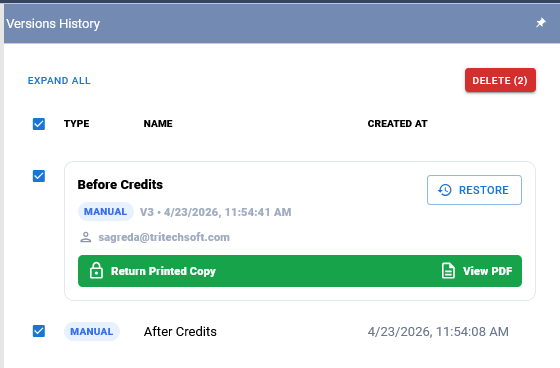
- Open Version History to view the active amendment and earlier snapshots.
Restoring a Version
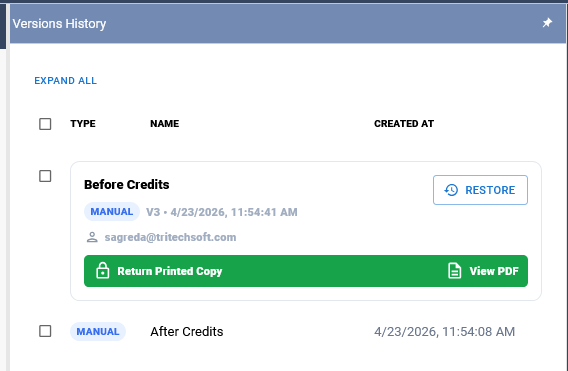
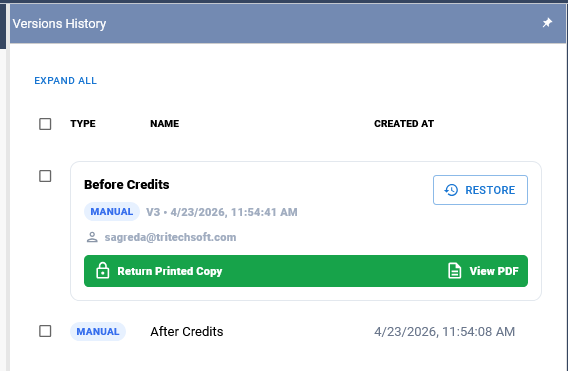
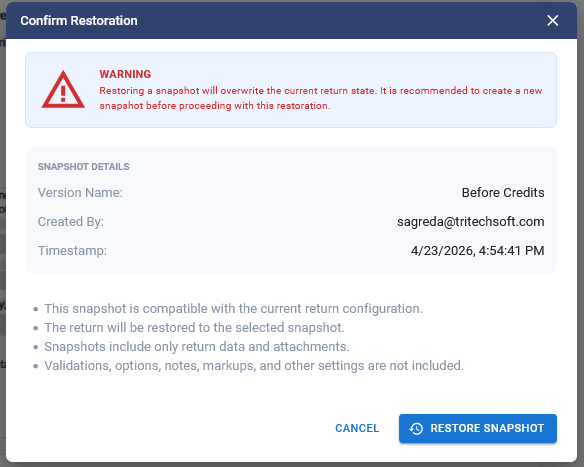
To return to a previous version, select the saved version from the Version History panel and choose Restore. After confirming, the return will revert to the selected snapshot.
Working Between Versions
Multiple versions can be created to compare different scenarios. Review saved versions in the Version History panel and restore an earlier snapshot when needed. For an amended return, the original filed version remains locked; make changes in the active amended version.
Deleting Versions
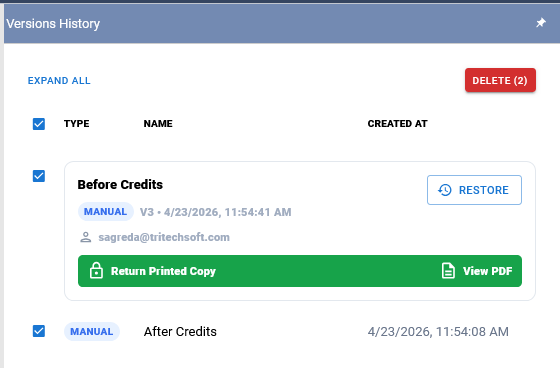
To delete a version, select the checkbox next to the version in the Version History panel and choose the Delete option.
Related Articles